← Back to portfolio

Drakenveil

A Unity-based game prototype currently in development, focused on menu flow, scene navigation, and interaction feedback as a foundation for future gameplay systems.

Unity C# UI Systems Scene Management Work in Progress
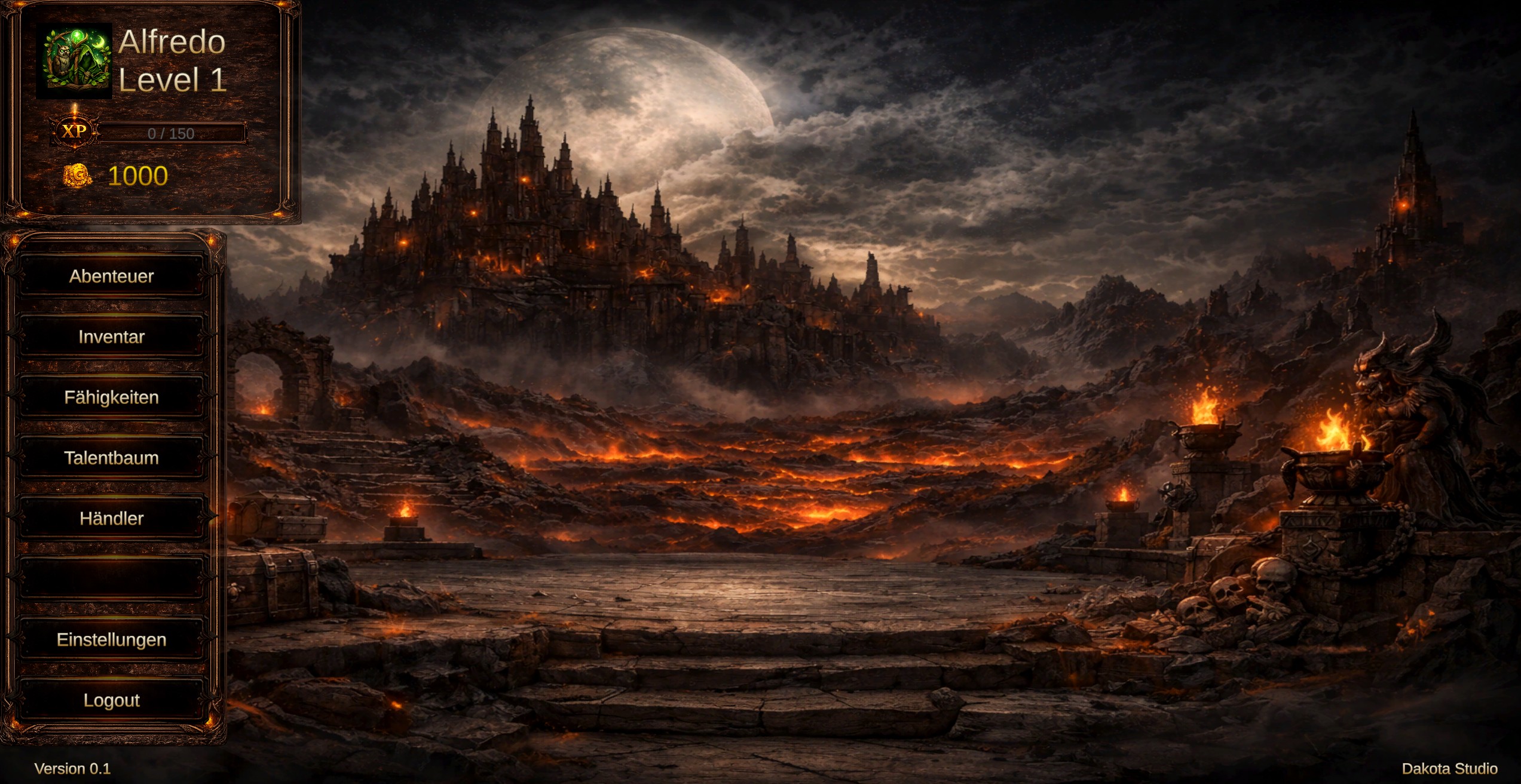
Drakenveil main menu screenshot

What this project is about

Drakenveil is a dark fantasy game prototype built in Unity. At its current stage, the project focuses on building a solid structural foundation through menu design, scene transitions, and responsive user feedback. The goal is to create a clear and scalable base before moving into the core gameplay loop.

What this project should achieve

  • Build a clear gameplay foundation before expanding into deeper systems
  • Create menu and scene flow that already feels structured and intentional
  • Establish a dark fantasy direction that supports the overall game identity
  • Prepare a prototype that can grow into stronger gameplay mechanics later

Click to flip

What I wanted to explore

  • Scene flow and menu structure before full gameplay systems
  • How interface feedback supports clarity inside a game prototype
  • A stronger structural base instead of jumping too early into feature overload
  • How atmosphere, UI behavior, and game logic can start working together

Click to flip

What is already part of the prototype

  • Main menu structure with multiple navigation options
  • Scene management and basic screen flow
  • Audio feedback for button interactions
  • Dark fantasy visual direction and menu presentation

Click to flip

What I am building this with

  • Unity as the main engine and project environment
  • C# scripts for behavior, flow, and interaction logic
  • UI systems for menu structure, feedback, and clarity
  • Scene management as the structural base for navigation and progression

Click to flip

How the engine is used here

  • Organize scenes, assets, and prototype structure inside one game project
  • Use the engine as the base for UI flow, feedback, and future gameplay systems
  • Build early game structure before moving into more complex mechanics
  • Keep the prototype extendable as more systems are added later

Click to flip

How I use scripts in the prototype

  • Use scripts to control menu behavior and interaction responses
  • Connect buttons, scene flow, and feedback through clearer logic
  • Build a simple but extendable base for later systems
  • Use code to support structure, not only effects

Click to flip

How I think about interface flow here

  • Use menus as more than visuals by treating them as part of the game flow
  • Focus on button feedback, clarity, and readable navigation
  • Build a UI base that can support more systems later
  • Use interface structure to make the prototype feel more intentional

Click to flip

How I structure flow between scenes

  • Think about scenes as part of the player flow, not just separate screens
  • Use scene transitions to support clarity and progression
  • Create a cleaner structural base before deeper gameplay systems are added
  • Treat scene setup as part of the prototype architecture

Click to flip

What I learned

  • Structure matters early, especially in scene flow and interface logic
  • Feedback and clarity are part of the experience even before core gameplay exists
  • Working on one focused prototype can teach more than jumping straight into too many systems
  • A strong base makes later development decisions easier

Click to flip

What should come next

  • Core gameplay loop
  • Team-based heal and combat mechanics
  • System-driven progression and balancing
  • A more playable prototype with clearer interaction feedback

Click to flip